Allow Users to Add New Categories/Terms/Taxonomies
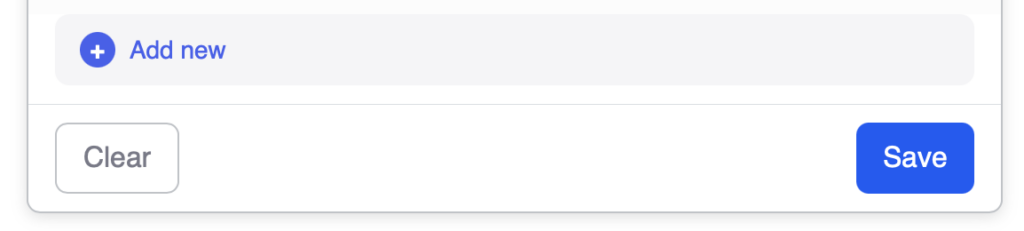
The Add Category function allows users to add new taxonomy terms directly from the frontend Create Post form. When the category they need doesn’t exist, they can suggest a new one instead of being stuck.
Overview
Sometimes your taxonomy doesn’t include every possible category users might need. This function adds an “Add New” option to taxonomy fields so users can suggest new terms. You can optionally require admin approval before new terms appear to other users.
Key Features
Per-field toggle to enable term creation
Role-based visibility with Voxel override system
Optional approval workflow
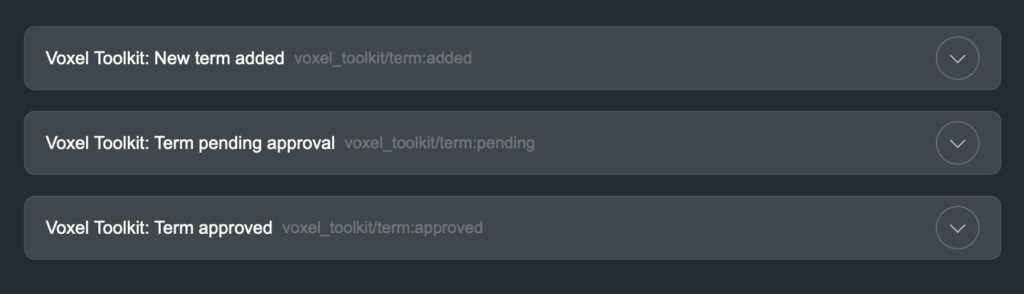
App Events for admin notifications
User instructions for pending terms
Setup Instructions
Step 1: Enable the Function
Navigate to Voxel Toolkit > Functions in your WordPress admin
Find Add Category in the list
Toggle the switch to enable the function
Click Save Changes
Step 2: Enable on Taxonomy Fields
Go to Post Type Editor for your post type
Edit the fields
Click on a taxonomy field to edit it
Find the Allow Adding New Terms toggle
Enable it and configure approval settings
Save the post type
Field Settings
Each taxonomy field can be configured with:
Setting
Description
Default
Allow Adding Terms
Enable the “Add New” option
Disabled
Require Approval
New terms need admin approval
Enabled
Role-Based Access
You can control which user roles can add new terms using Voxel’s override system:
In the taxonomy field settings, find the role overrides
Add overrides for specific roles
Enable or disable term creation per role
Example Configurations
Only editors can add – Disable for all, enable override for Editor role
Premium users can add – Enable override for premium membership level
Everyone can add – Enable for all with approval required
Approval Workflow
When approval is required:
User enters a new term name
Term is created with “pending” status
User sees message that term is pending approval
Admin receives notification (if configured)
Admin approves or rejects the term
Once approved, term appears for all users
Pending Terms
Terms pending approval:
Are visible only to the user who created them
Can be used by that user on their posts
Won’t appear in search filters
Are hidden from other users until approved
App Events
Notify admins when new terms are submitted:
Go to Voxel > App Events
Find New Term Submitted
Configure email or in-app notification
Include term name and taxonomy in the message
Available dynamic tags for the notification:
Term name
Taxonomy name
User who submitted
Post type
Managing Terms
Approve or reject pending terms in WordPress:
Go to the taxonomy in WordPress admin (e.g., Categories)
Look for terms with “Pending Approval” status
Edit the term to approve (remove pending flag)
Or delete the term to reject
Use Cases
Service Categories
Let service providers suggest new service types that aren’t in your predefined list.
Product Tags
Allow sellers to create new product tags for better organization.
Location Subcategories
Let users add neighborhood or district names that aren’t in your location taxonomy.
Skill Tags
Allow professionals to add skill tags for their profiles.
User Experience
Adding a New Term
User opens the taxonomy field dropdown
Types to search for their category
If not found, “Add New” option appears
User clicks to add their new term
Message shows term is pending (if approval required)
User can continue with their post
Troubleshooting
Add New Option Not Showing
Check the function is enabled
Verify “Allow Adding Terms” is enabled on the field
Check role-based overrides aren’t blocking your user
Search for a term that doesn’t exist to trigger the option